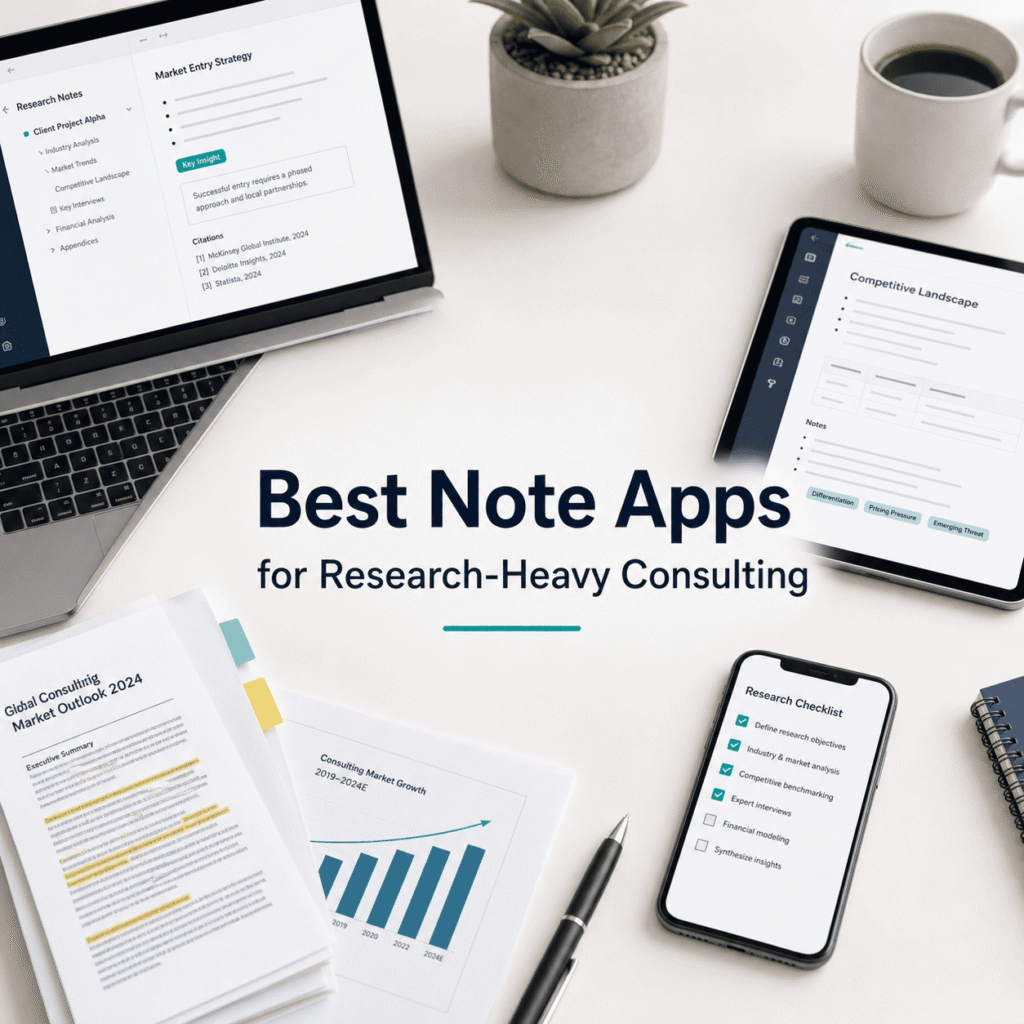
If you do research for a living, real research, not just skimming three blog posts and calling it “market analysis”… your note app becomes your second brain.
And also your trash can. And your client deliverable factory. And the place where half your good ideas go to die because you can’t find them again.
I’ve worked with consultants who have pristine decks and terrifyingly messy note systems. Like, 42 Google Docs titled “Notes final v3 NEW” and a Slack DM thread to themselves with random links.
So yeah. This guide is for the research heavy kind of consulting.
The kind where you’re reading 80 pages of a report, clipping quotes, tagging sources, writing a memo, then turning that into slides. While also keeping a running list of hypotheses, interview notes, and “ask legal about this” questions.
I’m going to cover the best note apps for that workflow, what they’re actually good at, and who should avoid them. And I’ll keep it practical. If you want more side by side comparisons like this, Tool Pick Guide, which is basically built for deciding on tools for specific needs, is a great resource as we do these “what should I pick” decisions all day.
What research-heavy consultants actually need (not the marketing bullet points)
Most note apps say they’re for “ideas” and “productivity”. Cool. But consulting research has some specific pain points:
1) Fast capture, messy allowed
You need to dump stuff quickly. Links. PDFs. Meeting notes. Screenshots. Voice memos. Half sentences.
If the app makes you “organize first”, you will stop using it.
That’s why it’s essential to choose a note app that aligns with the specific needs of research-heavy consulting.
2) Source fidelity
You need to keep track of where a claim came from. Not just the link, but the quote, the page number, the context. Ideally the PDF highlight itself.
If you’ve ever been asked “where did that stat come from?” two minutes before a client call, you know.
3) Retrieval that works under stress
You don’t have time to remember where you filed something. Search has to be excellent. Tags help, but search is the real test.
4) Structure for synthesis
Capture is step one. The real job is synthesis. Turning 30 fragments into a point of view.
So you need some mix of: outlines, backlinks, doc hierarchy, canvases, tables, tasks, whatever. Something that supports thinking, not just storing.
Using effective note-taking methods such as the Cornell note-taking system, can greatly enhance your ability to synthesize information by providing a structured way to capture and review notes.
5) Collaboration without chaos
Even solo consultants end up sharing. With a client. With a subcontractor. With an internal team.
Some apps are amazing personally and kind of terrible the moment you add more humans.
With that in mind, here are the best options.
Quick verdict (if you just want the answer)
- Best overall for research-heavy consulting: Notion
- Best for PDF-first, citations, academic style research: Zotero + Obsidian (combo)
- Best if you live in Microsoft 365 and want “good enough” everywhere: OneNote
- Best for speed and beautiful writing, especially on Apple devices: Bear
- Best for long-term knowledge base with serious linking and control: Obsidian
- Best for teams who want real-time collaboration + docs + tasks: Notion or Coda
- Best for “I just need my notes searchable and always there”: Evernote (still relevant, depending on your tolerance)
Now the real breakdown.
Additional Consideration: Source Fidelity in Research
In research-heavy consulting, maintaining source fidelity is crucial. This involves not only keeping track of where a claim originated from but also retaining essential details such as quotes, page numbers, and context—ideally through methods like highlighting in PDFs. This practice can be beneficial when you’re suddenly asked about the source of a statistic right before a client call.
In such high-pressure situations, having an efficient retrieval system becomes vital. You won’t have the luxury of remembering where you’ve filed something; hence, ensuring that your search functionality is top-notch is imperative. While tags can assist in this process, it’s ultimately the effectiveness of your search feature that will determine your success.
However, capturing information is just the first step; the real challenge lies in synthesizing it. This involves transforming numerous fragments into a coherent point of view. Achieving this requires a blend of various tools such as outlines, backlinks, document hierarchy structures, canvases, tables and tasks—essentially anything that aids in thinking rather than merely storing information.
Furthermore, even if you’re primarily working solo as a consultant, there will inevitably be instances where you’ll need to share your findings with others—be it clients or subcontractors. While some applications excel in personal use but falter when
1. Notion (best overall for consulting research workflows)
Notion is the closest thing to a full research operating system. Not perfect, not always fast, but it’s the one most consultants can build a repeatable workflow in.
Why it works for research-heavy consulting
Databases. This is the big one. You can make a database for:
- sources (articles, reports, podcasts)
- interviews (date, person, themes)
- insights (claim, evidence, confidence level)
- deliverables (memo, deck, appendix)
- open questions and follow-ups
And then relate them.
So you can click an insight and see the sources behind it. That alone is worth a lot when you’re moving fast.
Templates. You can standardize. Every new project can spin up the same structure: intake, research log, interview tracker, hypothesis board, synthesis memo, slide outline.
Sharing. Easy to share read-only pages with clients. Or share a workspace with a team. Permissions are decent.
Where Notion can annoy you
- Offline is not its strong suit. Better than it used to be, still not something I’d bet my life on.
- It can become a messy wiki. If you don’t set rules, it turns into a haunted mansion of pages.
- PDF annotation isn’t native the way you want. You can embed, store, and view. But the workflow for highlights and citations is not as clean as dedicated tools.
Who should pick Notion
- Solo consultants who want one place for everything
- Small teams building repeatable research playbooks
- Anyone who wants research and project management in one tool
A simple Notion structure that actually works
Start with a Projects database. Each project uses a template that includes the following components:
- Research Log (database, related to Sources)
- Sources (database)
- Insights (database)
- Interview Notes (database)
- Synthesis Memo (page)
- Slide Outline (page)
Keep it boring. Boring wins.
2. Obsidian (best for deep linking, long-term knowledge, and control)
Obsidian is not a “team workspace”. It’s a personal knowledge system. Local files, Markdown, strong linking, and you own your notes.
For research heavy consulting, it shines when your notes matter beyond the current project. Like, you build a knowledge base over years and reuse it.
Why Obsidian is great
Backlinks and graph thinking. You can connect concepts across projects. “Pricing strategy” notes from last year can link to a new client project and suddenly you have a head start.
Local-first. Your notes are files on your device. That’s comforting, especially if you’ve ever had a SaaS tool glitch during a deadline week.
Plugins. There’s a plugin for everything. Some are gimmicky. Some are lifesavers.
Where Obsidian can trip consultants
- Setup time. It can become a hobby. People spend days tweaking themes. That’s fun, but not billable.
- Collaboration is not native. There’s Obsidian Sync and workarounds, but if your team needs real-time editing, you’ll feel friction.
- PDF workflows depend on plugins. It’s doable, but not as smooth as a reference manager.
Who should pick Obsidian
- Solo consultants with long-term knowledge compounding
- People who care about ownership and portability
- Anyone who thinks in linked ideas and wants a “research brain”
A practical Obsidian consulting setup (minimal, not fancy)
Organize each client under a folder named Clients/ClientName/ containing five core files: 00 Inbox.md, Sources.md, Interviews.md, Insights.md, and Synthesis Memo.md.
Use tags like #source, #claim, #quote, and #todo to label note types. Use backlinks for recurring themes: [[Pricing]], [[GTM]], [[Procurement]].
That’s it. You can go deeper later.
3. OneNote (best for Microsoft 365 environments and messy capture)
OneNote is the underrated tank of note apps. It’s not trendy, but it’s reliable and weirdly flexible.
And in consulting, Microsoft ecosystems are everywhere. If your clients live in Teams and SharePoint, OneNote fits.
Why OneNote works
Freeform capture. You can dump content anywhere on a page. It feels like a digital notebook, which is great for messy meeting notes.
Solid search. OneNote search is legitimately useful, including searching text inside images in many cases.
Integration. If you’re already using Outlook, Teams, and SharePoint, it’s a natural extension.
Limitations
- Structure can get sloppy. Notebooks, sections, pages. People duplicate stuff. And then it’s a maze.
- Not a great “database” tool. It’s not designed for relational research tracking.
- Export and portability aren’t great. You’re in Microsoft land.
Who should pick OneNote
- consultants embedded in corporate Microsoft environments
- teams who want something familiar and easy to share
- people who prefer a notebook metaphor over building systems
4. Evernote (best for capture + search, if you can live with it)
Evernote used to be the default. Then it got complicated. Then it got better again in some ways. Depending on who you ask, it’s either still essential or already dead.
For consulting research, its strengths are still the same:
- capture everything
- find anything later
Where Evernote shines
Web clipper. Still one of the best clipping experiences for grabbing articles and saving them with context.
Search. If you have thousands of notes, Evernote’s search is strong. The whole point is retrieval.
Multi-device. It’s built for syncing across everything.
Where it’s weaker for consultants
- Not built for structured synthesis. You can write and tag, but it’s not a research-to-deliverable system like Notion can be.
- Pricing and product direction. Some teams hesitate because the tool has had a long, confusing history.
Who should use Evernote
- consultants who collect lots of web content and need fast retrieval
- people who don’t want to build a complex system
- “I just need it searchable” workflows
5. Zotero (best for source management, citations, and PDF annotation)
Zotero is not a note app in the usual sense, but for research-heavy consulting it’s one of the most useful tools you can add.
Think of Zotero as your source-of-truth library, especially when it comes to source management, citations, and PDF annotation which are crucial elements in any research-heavy consulting work.
Why Zotero matters for consulting
PDF management and annotation. You can store reports, highlight, comment, and keep it all organized.
Metadata. Titles, authors, publication dates, tags. Proper source tracking.
Citations. If you write memos that need citations, Zotero makes it easy.
The main catch
Zotero is best when paired with a note app for synthesis. Zotero stores and annotates sources. Your note app turns that into thinking.
Best pairing
- Zotero + Obsidian: keep sources clean in Zotero, write insights in Obsidian, link notes to source keys
- Zotero + Notion: good for teams, but less elegant for citations unless you build a process
Who should pick Zotero
- consultants doing deep desk research
- anyone producing research memos with quoted evidence
- people who want clean “where did this come from” answers
6. Bear (best for fast, clean writing on Apple devices)
Bear is not trying to be an everything app. It’s a writing-first notes app, and it’s very good at that.
If your workflow is: read, think, write. And you’re mostly on Mac and iPhone. Bear feels like a calm room.
Why Bear is good for consultants
Speed. You open it, you write. No fuss.
Tagging. Simple tag based organization that doesn’t feel like filing paperwork.
Great for drafting. If you write memos, outlines, and narrative thinking, it’s a comfortable place.
Limitations
- Not great for teams. Collaboration is not the point.
- Not a database tool. You won’t build a research tracker inside Bear.
- Apple ecosystem. If you’re cross-platform, it’s limiting.
Who should pick Bear
- solo consultants on Apple devices
- people who want simple structure and strong writing flow
- consultants who already have a separate tool for sources and project management
7. Coda (best Notion alternative for teams that want docs + automation)
Coda is like Notion’s more opinionated cousin. Docs plus tables plus automations. If your team wants a more “app-like” doc where the doc is the tool, Coda can be powerful.
Why Coda works for consulting teams
Tables are first-class. You can build trackers and dashboards that feel closer to an internal tool than a document.
Automations and buttons. You can create workflows. Like, press a button to generate a client update, or move research items into a synthesis view.
Collaboration. Built for teams.
Downsides
- Learning curve. It’s not hard, but it’s different. Some people bounce off it.
- Less common than Notion. Finding templates, hiring people familiar with it, etc. Not impossible, just a factor.
Who should pick Coda
- small consulting teams that want structured, repeatable workflows
- ops-heavy consulting shops who want automation baked into docs
- people who like spreadsheets but want them inside documents
8. Google Docs + Drive (yes, still a contender)
It’s basic, but it works. And for many consulting teams, “works” beats “perfect”.
If you already live in Google Workspace, you can run a research workflow with:
- a Drive folder per project
- a master research doc
- a sources doc
- a synthesis memo doc
- a slides outline doc
What it’s good at
- collaboration
- simplicity
- sharing with clients
- version history
What it’s not good at
- structured knowledge management
- long-term retrieval across projects unless you’re disciplined
- citation/source workflows unless you manually do it
Still, if you’re in a hurry and need something your whole team can use tomorrow morning, Docs is honest.
Picking the right one (based on your actual consulting style)
This is the part most lists skip. They just rank tools. But the tool depends on how you work.
If you’re a solo consultant doing lots of desk research
Pick: Obsidian + Zotero
You’ll get long-term compounding notes plus clean source tracking.
If you’re a small team and need shared research + deliverables
Pick: Notion (or Coda if you want more automation)
Central workspace, templates, permissions, and databases.
If your clients are corporate and everything is Microsoft
Pick: OneNote
It’s familiar, shareable, and won’t cause IT weirdness.
If you mainly need capture + search and don’t want to build a system
Pick: Evernote
Clip, tag lightly, search later.
If your output is writing and you want a calm drafting space
Pick: Bear
And pair it with a source tool if needed.
A research workflow that doesn’t collapse in week 3
Tool choice matters, but workflow matters more. Here’s a simple pattern that holds up:
Step 1: Capture (fast, messy)
- clip article
- save PDF
- dump meeting notes
- voice memo if needed No organization beyond basic tags or a project folder.
Step 2: Process (light cleanup)
Once a day or every other day:
- extract 3 to 10 key quotes or bullets
- write your interpretation under each (important)
- tag by theme
This is where research becomes useful. Not when you clip it.
Step 3: Synthesize (turn fragments into a point of view)
Make a “Synthesis Memo” doc and structure it like:
- What we think is happening
- Why we think that
- Evidence and sources
- Risks / unknowns
- What we recommend next
Even if you never send the memo, it becomes the backbone of the deck.
Step 4: Deliver (slides, brief, workshop)
Your notes should make deliverables easier, not harder. If you’re rewriting everything from scratch, something is off.
Comparison mini-matrix (quick and blunt)
| Tool | Best for | Weak spot |
| Notion | team research system, databases, templates | offline, heavy PDF annotation |
| Obsidian | long-term knowledge base, linking, local control | collaboration, setup temptation |
| OneNote | Microsoft environments, freeform notes | structured tracking, portability |
| Evernote | capture + search | synthesis structure, product trust for some |
| Zotero | PDFs, citations, source library | not a full note system alone |
| Bear | writing-first notes on Apple | teams, structured research tracking |
| Coda | doc + table workflows, automation | adoption, learning curve |
| Google Docs | simple team collaboration | retrieval and structure over time |
What we’re testing at Tool Pick Guide (and why you might care)
At Tool Pick Guide, we’re big on side by side comparisons that match real workflows, not just feature lists. We’re working on more “consulting stack” breakdowns too. Notes, research capture, transcription, citation tools, and the whole messy chain from raw input to client-ready output.
If you’re building a consulting workflow and want less guessing, that’s the vibe of the site. Practical picks, clear verdicts, and fewer buzzwords.
Wrap up (my honest recommendation)
If you want one answer and you don’t want to overthink it:
- Pick Notion if you need a shared, repeatable research workspace that can turn into deliverables.
- Pick Obsidian + Zotero if you’re solo and you want a research system that compounds over years, with clean source tracking.
- Pick OneNote if you’re in Microsoft land and need something that won’t fight your environment.
Everything else is a good choice too, but those three cover most research-heavy consulting realities.
And whatever you choose, keep the workflow simple. Capture. Extract. Synthesize. Deliver. Then reuse the structure on the next project. That’s the real win.
FAQs (Frequently Asked Questions)
What are the key needs of research-heavy consultants when choosing a note-taking app?
Research-heavy consultants require a note-taking app that supports fast capture without forcing immediate organization, maintains source fidelity with detailed citations including quotes and page numbers, offers excellent search functionality for quick retrieval under stress, provides structures like outlines or backlinks to aid synthesis of information, and facilitates collaboration without creating chaos.
Why is source fidelity important in consulting research, and how can it be maintained?
Source fidelity is crucial because consultants must accurately track where claims originate, including context like quotes and page numbers. Maintaining this fidelity helps answer urgent client questions confidently. It can be maintained by using apps that allow PDF highlighting, detailed citation tagging, and storing original source links alongside notes.
Which note-taking apps are best suited for research-heavy consulting workflows?
The top recommendations include Notion as the best overall for consulting research workflows; Zotero combined with Obsidian for PDF-first, academic-style research; OneNote for Microsoft 365 users; Bear for speed and beautiful writing on Apple devices; Obsidian for long-term knowledge bases with strong linking; Coda or Notion for teams needing real-time collaboration; and Evernote for those wanting simple, always-searchable notes.
How does fast capture capability influence the effectiveness of a note-taking app in consulting research?
Fast capture allows consultants to quickly dump diverse information types such as links, PDFs, meeting notes, screenshots, voice memos, or incomplete thoughts without being forced to organize immediately. This flexibility prevents workflow interruptions and ensures no valuable data is lost due to cumbersome input requirements.
What features support the synthesis of fragmented research notes into coherent insights?
Features that support synthesis include outlines to organize ideas hierarchically; backlinks to connect related notes; document hierarchies to structure content logically; canvases for visual mapping; tables to compare data; and task management tools. These help transform scattered fragments into well-formed points of view rather than merely storing information.
How do collaboration needs impact the choice of note-taking apps in consulting?
Even solo consultants often need to share notes with clients or subcontractors. Some apps excel individually but perform poorly in collaborative settings. Therefore, choosing apps like Notion or Coda that offer real-time collaboration along with document and task management ensures smooth teamwork without chaos.